WebRTC echo cancellation removes the sound of your own speakers from your microphone signal. The browser keeps a copy of the audio it plays, estimates how that audio arrives back at the microphone, and subtracts the estimate before the track is encoded. It fails when the audio causing the echo never passes through the browser.
How WebRTC echo cancellation works
The browser compares what it plays with what the microphone captures and removes the part that matches. The played audio is the reference, and the canceller is only as good as that reference.
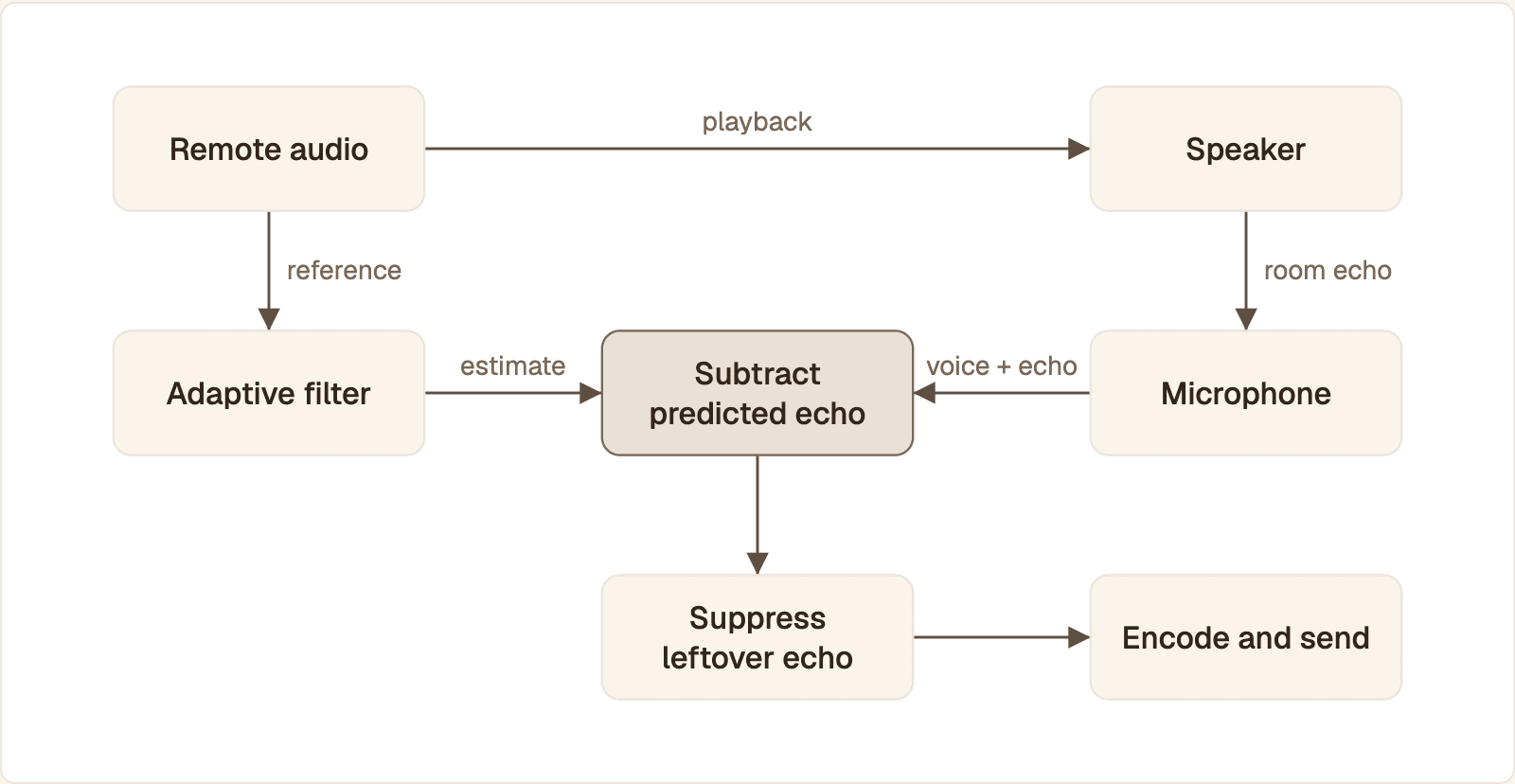
The canceller only removes what it has a reference for. Audio that reaches the speaker without passing through the browser never enters the filter.
Remote audio arrives, is decoded, and is handed to the output device. The canceller keeps a copy as its reference.
The speaker plays the audio. It travels through the room and the device's own casing to the microphone, delayed and colored by everything it bounces off.
The microphone captures the user's voice plus that delayed copy.
An adaptive filter estimates the path from speaker to microphone and predicts the echo from the reference.
The predicted echo is subtracted from the microphone signal.
A second stage suppresses whatever echo the subtraction missed, then the cleaned audio is encoded and sent.
BlogGeek's glossary entry on AEC in WebRTC describes the core of that sequence: capture the reference, estimate the acoustic path, model the expected echo, subtract it. The browser does not know the device in advance, so the filter learns the path during the call and keeps adapting when someone moves the laptop or turns up the volume.
The IETF's audio requirements for WebRTC, RFC 7874, say an endpoint should include an echo canceller or another form of echo control. The same document names one reason the job is hard on a computer: the capture and playback converters often run on different clocks, and it asks cancellers to cope with the drift that follows.
What is echo cancellation?
Echo cancellation is signal processing that stops a person on a call from hearing their own voice come back. It removes far-end audio from the near-end microphone signal, so only the local speaker's voice is sent.
The term covers two different problems:
Acoustic echo. Sound leaves a loudspeaker and re-enters a microphone in the same room. Acoustic echo cancellation, or AEC, is what browsers do, and it is the only kind a web developer controls.
Network echo. Also called line echo. It is an electrical reflection inside the telephone network and is canceled by carrier or gateway equipment. It matters only when your call bridges to a phone line.
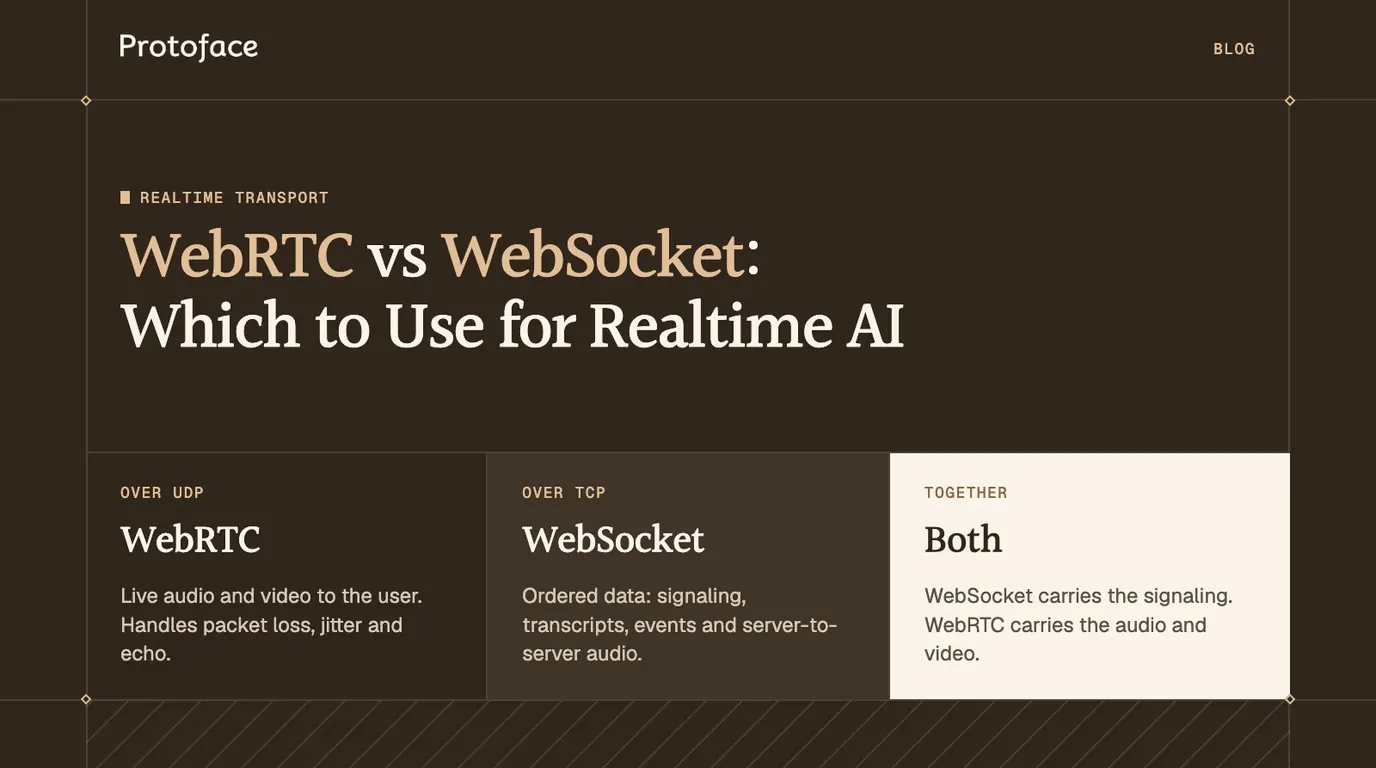
Echo cancellation is one of the reasons live audio to a user belongs on WebRTC. A raw socket gives you bytes and no canceller, as the comparison of WebRTC vs WebSocket for realtime AI explains.
How to turn on echo cancellation with the echoCancellation constraint
Pass echoCancellation: true in the audio constraints of getUserMedia(), then read the track's settings to confirm the browser applied it. A constraint is a request. The setting is what you got.
The function requests a processed track and logs what was applied. MDN documents that getSettings() returns the current value of every constrainable property, including platform defaults your code never set. getConstraints() only echoes back what you asked for, so it cannot tell you whether cancellation is running.
The constraint takes four values, listed on MDN's echoCancellation constraint reference:
Value | What the browser removes |
|---|---|
| The browser decides. It must cancel at least as much as |
| Audio from incoming tracks that come from an |
| All audio the system plays, including other apps and notification sounds |
| Nothing. The raw microphone signal is sent |
To make the request strict, write echoCancellation: { exact: true }. The call then rejects with an OverconstrainedError when the device cannot provide it.
Browser support for the constraint
Feature | Status on MDN | What to do |
|---|---|---|
| Baseline, available across browsers since January 2020 | Set it explicitly and verify |
| Newer values in the W3C Media Capture and Streams specification, support varies | Read the setting back to see which mode you got |
noiseSuppression, | Limited availability | Treat as hints, never as |
| Baseline, available across browsers since September 2017 | Use it as the check |
Should I turn on echo cancellation?
Yes, for any call or voice agent where the user might listen on speakers. Turn it off only when the microphone cannot hear the output, or when the processing damages the audio you want.
Situation | Setting | Why |
|---|---|---|
Laptop or phone speakers | On | The microphone sits next to the speaker |
Voice agent or avatar | On | The agent must not hear itself |
Headphones or a headset | On is safe, off is fine | Little or no sound reaches the microphone |
Music, instruments, singing | Off | The suppression stage is tuned for speech and damages music |
RFC 7874 supports the two exceptions. It says endpoints should let applications such as music turn the canceller off, and should be able to detect a headset and disable echo cancellation. A web page cannot detect headphones reliably, so keep it on unless the user says otherwise.
Why WebRTC echo cancellation stops working
It stops working when the reference is missing, when the echo is no longer a clean copy of the reference, or when the setting was never applied.
Symptom | Likely cause | Fix |
|---|---|---|
Constant echo of audio from another tab, app or device | The canceller has no reference for it. Only | Play the audio in the same page, or use headphones |
Echo appears after you route remote audio through a Web Audio graph | The browser may only reference peer connection audio played by a media element | Attach the remote stream to an |
Echo even on headphones | Your page plays the local microphone track | Mute or remove the self-monitor element |
Echo returns when a Bluetooth device connects | The output route and its delay changed, so the filter has to adapt again | If the echo lasts more than a few seconds, request a fresh track on |
Echo only at high volume | The speaker distorts, and distortion is not a linear copy of the reference | Lower the output level |
The user's words are clipped while the far end is talking | Double talk: both sides speak and the suppression stage attenuates both | Headphones, or shorter agent turns |
Settings show | Your code or an SDK default turned it off, or the device refused | Request a new track with it on |
Web Audio is the cause that catches people out. The spec only requires true to cover incoming peer connection audio, and recommends covering everything else. Whether audio played through an AudioContext is canceled depends on the browser and its version, so test the path you ship.
How to fix echo in a WebRTC app
Work from the cheapest check to the most invasive change: confirm the setting, check whether the echo is acoustic, then fix the playback route.
Confirm the setting. Run
openMic()on the affected device. If it logsfalse, find the code or SDK option that disabled it.Test with headphones. If the echo stays, it is not acoustic. The usual culprit is a self-monitor element playing the local stream. Set
mutedon it.Play remote audio through a media element. It is the path every browser references.
Keep one playback path. Remove duplicate elements, hidden tabs and second devices playing the same call.
Handle device changes. Request a fresh track when the device list changes and swap it into the sender.
Record what you send. Stay silent while the far end talks, record the microphone track, and listen.
The first handler plays the remote stream in one element. The second swaps the outgoing microphone track without renegotiating. The third records the microphone track after the browser's processing and before encoding, which is close to what the other side hears. Pass it the stream from openMic(). Open the logged URL on headphones: any far-end speech in it is residual echo.
If the call has no audio at all, or playback is blocked until a click, the problem is elsewhere. See the guide to troubleshooting ICE, autoplay and audio failures in WebRTC.
Echo cancellation for voice agents and AI avatars
With a voice agent, the echo is the agent's own speech, and the listener is a speech detector. Leaked agent audio looks like the user starting to talk, so the agent interrupts itself, stops mid-sentence, or transcribes its own words as the user's turn.
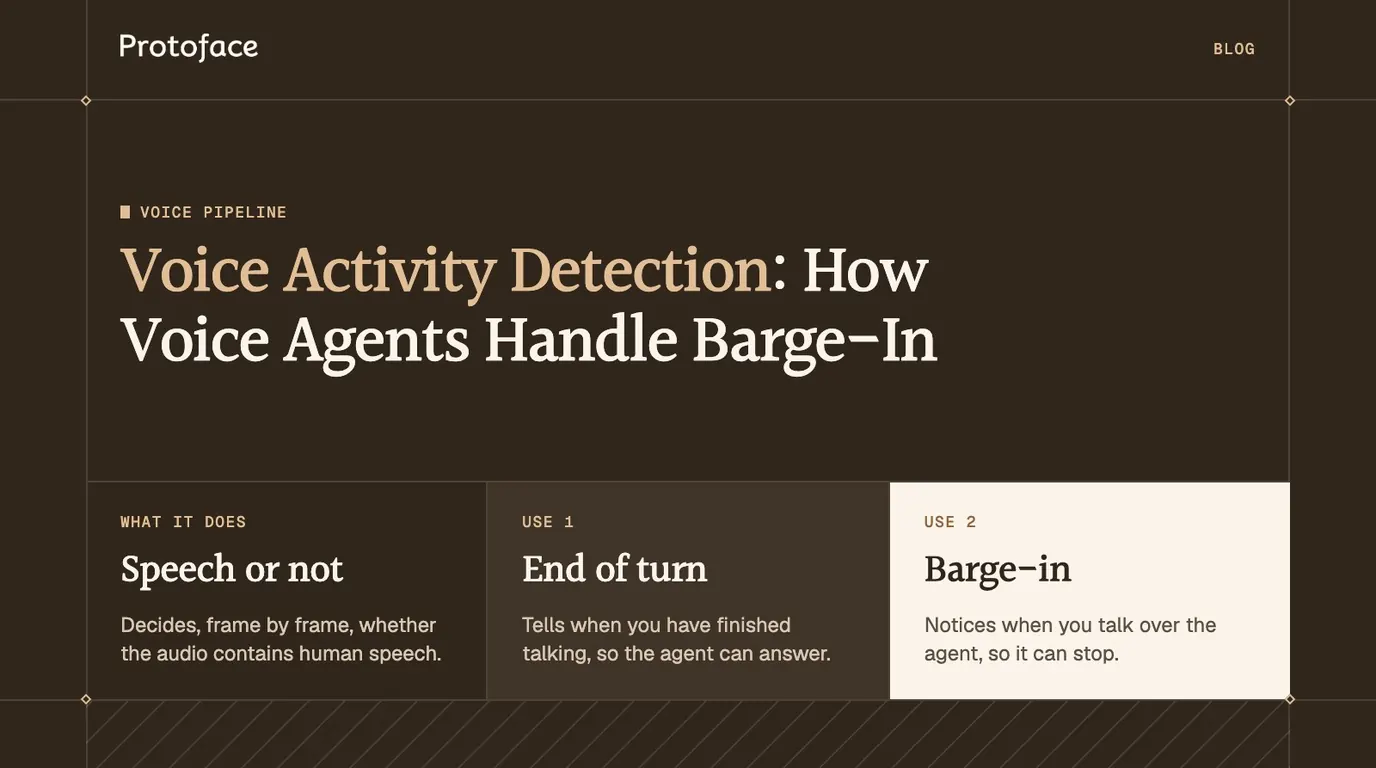
The article on voice activity detection and barge-in covers the detection side. On the transport side, three rules keep the canceller effective:
Deliver the agent's voice as a WebRTC track. Incoming peer connection audio is the one source every compliant browser must reference.
Play one copy. If the avatar publishes the speech, the agent should not publish it too.
Play the avatar's audio and video as they arrive. Attach both tracks to media elements with no extra processing in between, so the lips stay on the words and the audio stays on the path the canceller sees.
The LiveKit setup
LiveKit's client SDKs use the browser's own processing. The LiveKit noise and echo cancellation docs state that these settings are adjusted through AudioCaptureOptions and strongly recommend leaving them on unless you use an enhanced noise cancellation product.
These three capture settings are the SDK's defaults. track.attach() creates a media element for each subscribed track. The SDK also has a webAudioMix room option, off by default, that mixes remote audio through Web Audio. If echo appears only with it enabled, compare both settings on the affected browser.
Protoface Realtime follows the same path. With the LiveKit plugin, the avatar joins the room as a participant and publishes audio and video, so the browser receives them as remote tracks like any other participant's. The Protoface quickstart turns off the agent's own room audio output and lets Protoface publish the assistant audio, which keeps to the one-copy rule:
Echo cancellation will not be perfect on every device, so add a guard on the agent. LiveKit's turn handling docs describe a false interruption as detected speech whose transcript comes back empty, and list the options that deal with it: min_duration for the speech needed to count as an interruption, false_interruption_timeout, and resume_false_interruption.
Test the hard case. Laptop speakers at full volume, no headphones, the user talking over the avatar. If the agent still finishes its sentences, easier setups will hold.
Echo cancellation, noise suppression and gain control
They are three separate stages on the same microphone track. Echo cancellation removes sound the device itself played. Noise suppression removes steady background sound that was never played, such as fans and traffic. Automatic gain control changes the level so quiet and loud talkers arrive at a similar volume.
Stage | Removes or changes | Needs a reference | Typical side effect |
|---|---|---|---|
Echo cancellation | Speaker output in the microphone | Yes | Clipped speech during double talk |
Noise suppression | Steady background noise | No | Thin or watery voice in loud rooms |
Gain control | Overall level | No | Background rises during pauses |
Gain control can raise residual echo that the canceller left at a low level. Noise suppression will not remove echo, because echo of a voice is speech and the suppressor is built to keep speech. Start with all three on. Change one stage at a time and read getSettings() after each change.
Common questions
Why is WebRTC echo cancellation not working on laptop speakers?
Laptop speakers and microphones share one small chassis, so sound reaches the microphone through the casing as well as the air, and small speakers distort at high volume. Distorted echo is not a clean copy of the reference, so some of it survives. Lower the volume, confirm the track setting, and make sure the audio plays in the same page as the call.
What WebRTC echo cancellation settings can a web app actually change?
One: the echoCancellation constraint, set to true, false, "all" or "remote-only" as listed in MDN's constraint reference. A page cannot tune the filter itself. It can only choose the mode, the microphone and how remote audio is played.
How do echo cancellation and noise suppression differ in WebRTC?
Echo cancellation removes audio the device itself played, using that audio as a reference. Noise suppression removes steady background sound with no reference, and it is built to keep speech, so it will not remove an echo of someone talking.
Does echo cancellation work when audio plays through the Web Audio API?
Not reliably. The specification only requires the browser to cancel audio from incoming peer connection tracks, and treats everything else the system plays as a recommendation. Test your exact path, and attach the remote stream to an audio or video element if echo appears.
How do I check whether echo cancellation is active on a track?
Call track.getSettings().echoCancellation on the microphone track. getSettings() returns the values in effect, while getConstraints() only returns what your code requested.
Give your agent a face that does not talk over itself
Protoface Realtime joins your LiveKit room as a participant and publishes the avatar's audio and video, so the browser plays the agent's voice as a remote WebRTC track.