WebRTC load balancing splits into two jobs. Balance signaling like any web traffic, with an HTTP or TCP load balancer. Then assign each session to one media server and keep it there until it ends, because its ICE and encryption state exists only on that server.
How WebRTC load balancing works
You balance the decision, not the packets. A stateless service picks a media server when the session is created and records the choice. Every later message for that session goes to the same machine, and the media usually flows straight to that server's public address.
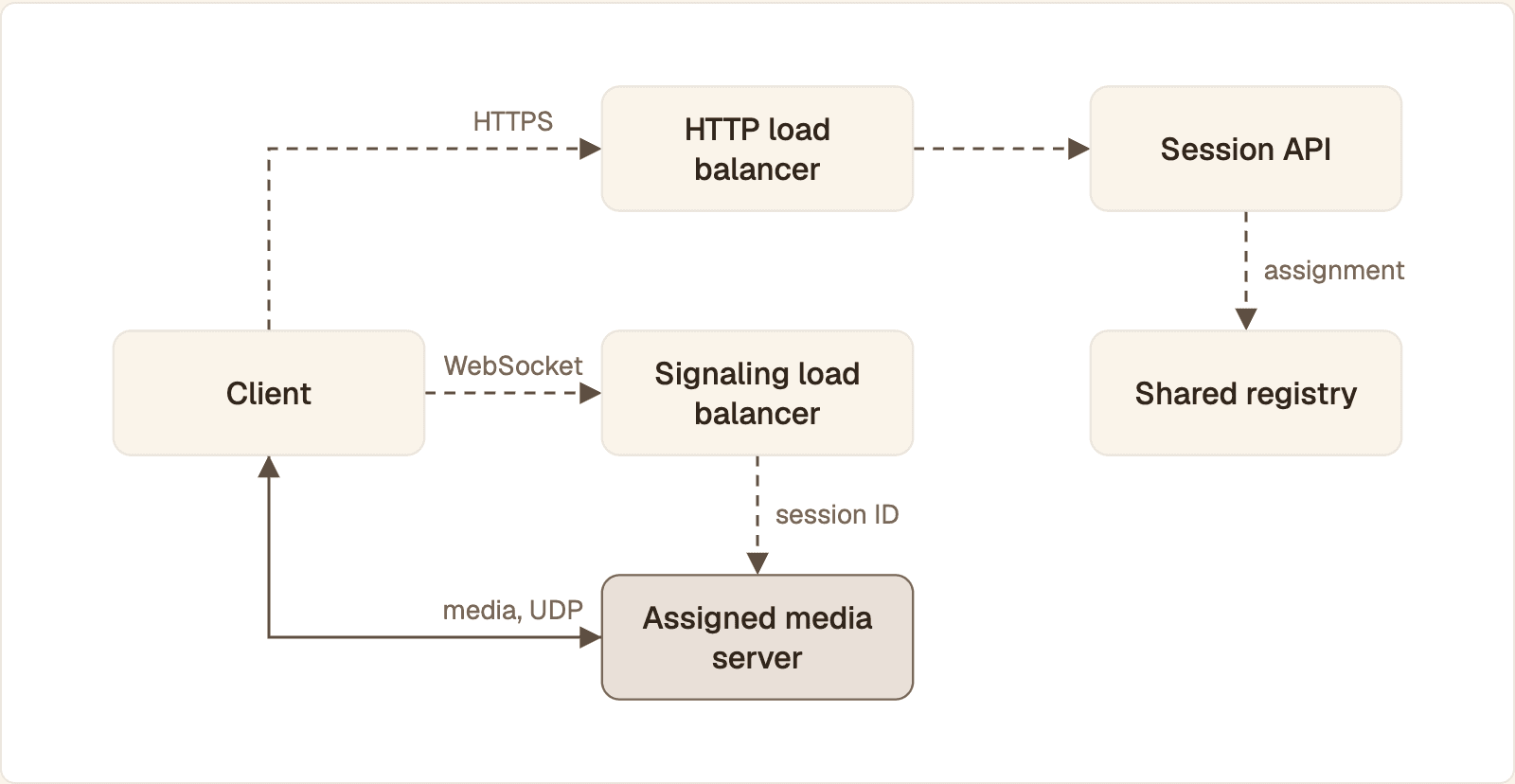
Dashed lines are setup and signaling, which load balancers can route. The solid line is media, which goes straight to the one server the session was assigned to.
DNS sends the client to the nearest region.
The client calls your API through an HTTP load balancer.
The API reads load from a shared registry, picks a media server with free capacity, and stores
session → server.The client opens its signaling connection, normally a WebSocket. The signaling load balancer routes it by session ID to the assigned server.
Offer, answer and ICE candidates are exchanged. The candidates carry the media server's own IP address and UDP port.
Encrypted audio and video flow over UDP between the client and that server, or through a TURN relay when UDP is blocked.
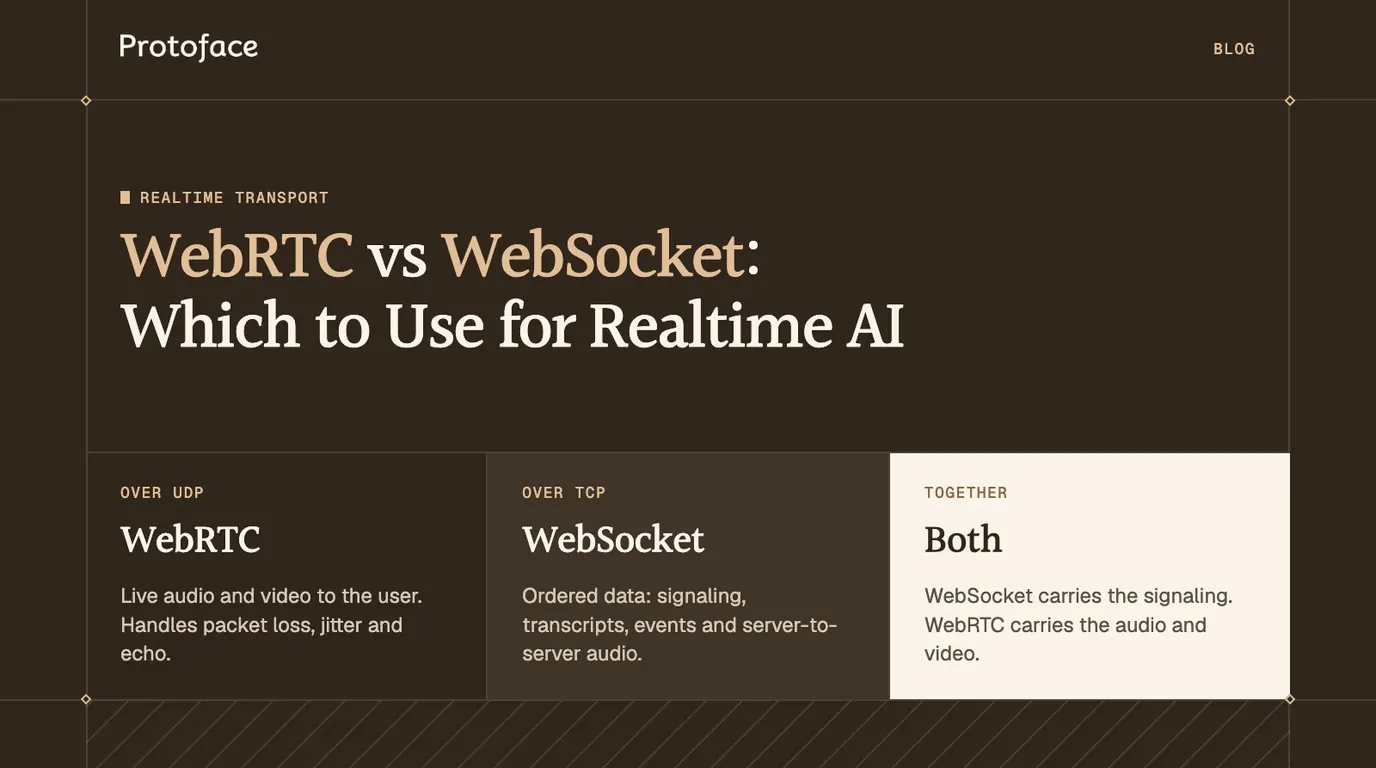
The comparison of WebRTC and WebSocket for realtime AI explains which traffic belongs on each connection.
Why a standard HTTP load balancer is not enough
An HTTP load balancer cannot carry UDP media, and it treats every request as independent. A WebRTC session lasts minutes or hours, and its state cannot move between servers.
Media is UDP. AWS documents that Application Load Balancer listeners support HTTP and HTTPS only. They can proxy a signaling WebSocket, not RTP.
ICE points at a specific address. RFC 8445 defines a candidate as a transport address, an IP address plus a port, where a peer can receive data. If a balancer delivers the client's connectivity checks to a different server, nothing there knows the session and the checks fail.
State is pinned. The DTLS handshake, the SRTP keys, the jitter buffers and the congestion estimates live in one process. Moving a session means negotiating it again.
Balancing signaling vs balancing media
Signaling needs a layer 7 or layer 4 TCP load balancer with affinity by session ID. Media needs either no load balancer at all or a layer 4 UDP load balancer that keeps a flow on one target.
Path | Protocol | Load balancer | Affinity |
|---|---|---|---|
Session API | HTTPS | Layer 7, any algorithm | None, the API is stateless |
Signaling | WebSocket over TLS | Layer 7, or layer 4 TCP | Session or room ID |
Media | SRTP over UDP | None, or layer 4 UDP | One server for the whole session |
TURN | UDP, TCP or TLS | DNS or layer 4 | One server per allocation |
Direct media, the common design
Give every media server a public IP address and let it advertise that address in its ICE candidates. Media bypasses the load balancer and reaches only the server the client was told about.
Media behind a UDP load balancer
If servers must stay on private addresses, put a layer 4 balancer in front. Network Load Balancer listeners accept UDP. The servers must advertise the balancer's address, and the balancer must hash each flow to the same target every time. The weak point is roaming: when a phone moves from Wi-Fi to mobile data, its source address changes and the new flow may land on a server that has never seen the session.
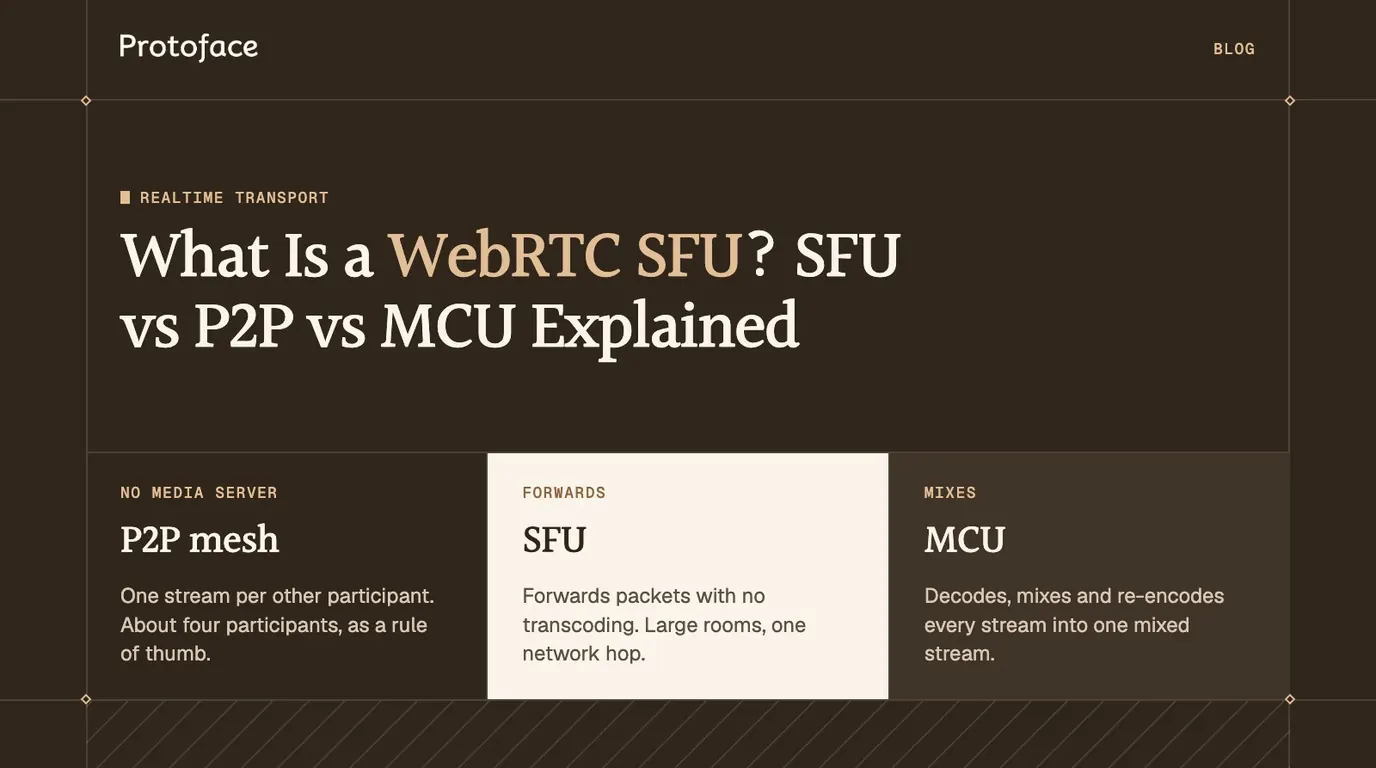
The unit you pin depends on the topology. In a one-to-one agent or avatar call it is the session. With an SFU it is the room: LiveKit's distributed setup documentation states that a room must fit on a single node. See SFU, P2P and MCU media architectures for how those nodes forward media.
Load balancing strategies compared
Pick by how expensive one session is. Light, uniform sessions tolerate simple algorithms. Heavy ones need a placement service that knows each server's free capacity.
Strategy | How it picks | Fits | Fails when |
|---|---|---|---|
Round robin | Next server in turn | Stateless API and signaling front ends | Sessions differ in cost or length |
Least sessions | Server with the fewest active sessions | One-to-one calls of similar weight | One session costs far more than another |
Consistent hashing | Hash of the session or room ID | Routing signaling without a lookup | You need to steer by load: a hash ignores it |
Region-based | Nearest region first, then another strategy inside it | Users spread across continents | The nearest region is full and there is no spillover rule |
Workload | Use |
|---|---|
Audio-only voice agents | Least sessions inside the nearest region |
Multi-party SFU rooms | Place each room on the least loaded node, hash the room ID for signaling |
GPU-rendered avatars | Fixed slots per server, assigned explicitly, with a queue or a clear rejection when full |
One-way broadcast to many viewers | Cascaded SFUs or a CDN format. Per-session balancing is the wrong tool |
Sticky sessions: a worked example
Stickiness needs two pieces: a record of which server owns each session, and a signaling route that honors it. Key on the session ID, not a cookie: a server-side agent that joins the call carries no browser cookie.
Assign the session and remember it
This function runs in your stateless API and uses the redis Python client. Each region has a sorted set of servers scored by active sessions, and the set draining lists servers that take no new work.
The SLOTS value of 8 is a placeholder until you measure your own cap. zrange returns servers from least to most loaded, so the first one with a free slot wins. set with nx=True writes the owner only if none exists, which stops two parallel requests from splitting one session. When the session ends, delete the key and call zincrby with -1. Two requests can still claim the last slot together, so if your cap is hard, move the check and the increment into one Lua script.
Route signaling to the owner
Return the owner's hostname from the API and let the client connect to it directly. Only that route honors a choice the registry made by load. If signaling must share one hostname and its servers are interchangeable, let a hash of the session ID decide instead. NGINX supports this in its upstream module:
Every connection to /rtc?session=abc123, reconnects included, reaches the same upstream. The consistent parameter selects ketama hashing, which the NGINX documentation says remaps only a few keys when a server is added or removed. The Upgrade headers let the WebSocket through, and the long read timeout keeps a quiet socket open.
A hash is not a load balancer. A hash picks the server from the session ID alone. It does not know that a server is full, and it will not find an owner your registry chose. Where slots are scarce, assign from the registry and send the client to the owner's hostname.
Measuring server load for media and avatar sessions
Route on the resource that runs out first, and express it as free session slots. For an SFU that is usually CPU or outbound bandwidth. For a server that renders avatar video it is the GPU.
Metric | What it limits | How to use it |
|---|---|---|
Active sessions | Everything, as a proxy | Weight each session by its cost, then compare with a measured cap |
CPU | Packet forwarding, encryption, software encoding | Stop placing sessions at a threshold well under saturation |
GPU utilization and memory | Rendering and hardware encoding | Treat as a hard slot count per GPU |
Egress bitrate | The network interface and your transit bill | Sum per-session bitrate, not process load |
An SFU forwards packets it does not decode, so one node carries many streams. A renderer produces every frame itself, so its capacity is a small fixed number set by GPU memory and frame time, and one session too many can drop frames for everyone on that card.
To find your cap, add synthetic sessions to one server one at a time while you watch frame rate, encode time and packet loss on the sessions already running. The count just before any of them degrades is your slot number. The article on OpenTelemetry for voice and avatar apps shows how to export those per-session measurements so the registry can read them.
Autoscaling and draining servers
Scale out on free slots, not on CPU averages, and scale in only by draining.
Adding capacity
Media servers scale horizontally: a bigger machine only raises the per-server cap. Add a server when free slots in a region fall under the number of sessions you expect to start during one boot time. GPU servers often boot slowly because models must load, so keep warm spares.
Draining a server without dropping sessions
Mark the server as draining in the registry.
Keep its health check passing. On a Network Load Balancer, AWS documents that connection termination for unhealthy targets is on by default, so a failed check closes established connections.
Keep accepting signaling for sessions the server already owns, so reconnects and ICE restarts still work.
Wait until its session count reaches zero. A maximum session duration bounds that wait.
At the deadline, delete the registry keys for any remaining sessions and tell those clients to reconnect. The next
assigncall places them elsewhere.Remove the server from the pool and terminate it.
LiveKit's distributed setup documentation describes a draining mode that a node enters on SIGTERM while participants are still connected.
Kubernetes
Media pods need reachable UDP ports, which usually means host networking or a UDP-capable gateway. The pod lifecycle documentation gives the default terminationGracePeriodSeconds as 30 seconds, after which remaining containers are killed. Set it longer than your longest session, and block scale-in for pods that still hold sessions.
TURN servers and multiple regions
TURN is a second media tier with the same affinity rule. A relay allocation exists on one TURN server, so balance TURN by DNS or at layer 4, never per packet.
RFC 8656 states that the 5-tuple of the client connection identifies the allocation on the server, and that each relayed transport address is unique to its allocation. A server can redirect a new allocation with a 300 (Try Alternate) error that names another server. The RFC's default port for TURN over TLS is 5349. Many deployments also listen on 443, which restrictive networks rarely block.
For regions, resolve the client to the nearest entry point with latency-based or geographic DNS, then choose a media server inside that region. Place TURN in the same regions, because a distant relay adds its detour to every packet. When a region is full, spill new sessions to the next nearest one and leave running ones where they are.
When the GPU tier is not yours to balance
If the avatar comes from a hosted API, the rendering fleet is the provider's and you balance only your own agents and rooms. With Protoface, POST /v1/sessions allocates a worker and the avatar joins your LiveKit room as a participant, so in your room it is one more participant. A 503 with code at_capacity and a Retry-After header means no worker is free. A 429 with concurrent_sessions means your plan's ceiling is reached, and waiting will not help until a running session ends. A 429 with session_start_rate_limited means sessions are starting too quickly, so back off and retry. If you need higher concurrency or faster ramp-up than your plan allows, Protoface for enterprise is the place to ask.
Common questions
What are the downsides of using WebRTC?
It is harder to operate than HTTP. You need signaling, STUN and TURN servers, and media servers that hold state for every session, so scaling takes session affinity and careful draining. Failures often appear only on other people's networks.
What are the four types of load balancers?
The usual list is AWS's four: Application (layer 7, HTTP and HTTPS), Network (layer 4, TCP and UDP), Gateway (for network appliances) and Classic (the legacy type). WebRTC signaling fits an Application or Network Load Balancer. Media needs UDP, so only the Network type can carry it.
Which is faster, WebRTC or WebSocket?
On a clean network they are close. WebRTC stays faster when packets are lost, because it runs over UDP and skips late data, while a WebSocket runs over TCP and waits for every retransmission.
Is there anything better than WebRTC?
Not for two-way audio and video in a browser. WebTransport and Media over QUIC are newer options that are not yet a drop-in replacement, and HLS or DASH scale better for one-way broadcast if you can accept seconds of delay.
Can I put WebRTC behind an AWS Application Load Balancer?
Only the signaling. An Application Load Balancer supports HTTP, HTTPS and WebSockets, so it can front your session API and signaling socket. Media is UDP and needs public media servers or a Network Load Balancer.
How many WebRTC sessions can one server handle?
It depends on what the server does with the media. A forwarding SFU is limited by CPU and bandwidth, and a server that renders or transcodes video is limited by its GPU or encoder. Load test one server and read the count just before quality drops.
Skip the GPU fleet for your avatar
Protoface allocates the worker and the avatar joins your LiveKit room as a participant. Talk to the team about concurrency and ramp limits for production traffic.