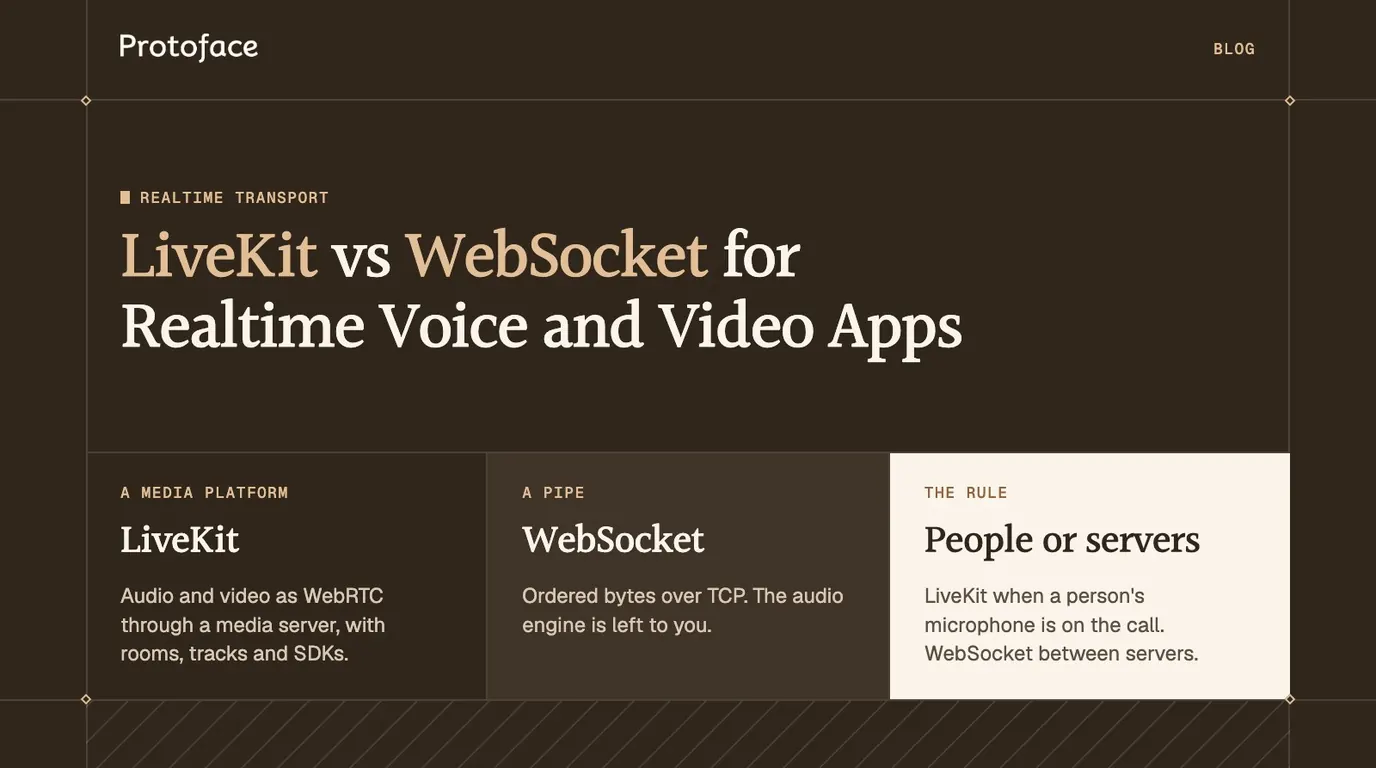
LiveKit vs WebSocket is a choice between a media platform and a pipe. LiveKit carries audio and video as WebRTC through a media server, with rooms, tracks and client SDKs. A raw WebSocket carries ordered bytes over TCP and leaves the audio engine to you. Pick LiveKit when a person's microphone or screen is on the call, and a WebSocket between servers.
LiveKit vs WebSocket: which to use
Use a LiveKit room when a user's device is one end of the call. Use a raw WebSocket when both ends are servers you control, or when the payload is text and events. They sit at different layers: LiveKit is WebRTC with the servers and SDKs already built, and it opens a WebSocket of its own to set up each call.
What you are building | Use | Why |
|---|---|---|
Voice agent in a browser or mobile app | LiveKit room | The user's Wi-Fi or mobile link loses packets, and WebRTC keeps playing through the loss |
Agent with a talking avatar | LiveKit room | Audio and video arrive as timed tracks that the player keeps in sync, so lips match words |
More than two participants | LiveKit room | The media server forwards each track to whoever subscribes |
Agent process to an STT, TTS or speech model API | Raw WebSocket | Server to server, on a clean link, in the format the API defines |
Phone audio forwarded by a telephony provider | Raw WebSocket | The provider fixes the format and connects to your server |
Transcripts, tool calls, UI state | Raw WebSocket | Every message must arrive, in order |
If you are still deciding between the two underlying protocols, start with the comparison of WebRTC vs WebSocket for realtime AI.
What a raw WebSocket gives you
A WebSocket gives you one long-lived, two-way connection that delivers every message complete and in order. It gives you nothing that knows the bytes are sound.
RFC 6455 defines the protocol as a layer over TCP that starts with an HTTP Upgrade request. TCP resends a lost segment and holds everything behind it until the resend lands.
A minimal browser client that sends microphone audio up a socket is short:
The code captures the microphone, encodes it as Opus in a WebM container and sends a chunk every 100 milliseconds. The URL is a placeholder, and you should check MediaRecorder.isTypeSupported() first, because browsers differ in the containers they record. The empty handler is where the real work sits. Over a socket, you build:
A playback scheduler and jitter buffer. Chunks arrive unevenly, so you queue them with a safety margin and decide how large that margin is.
Interruption handling. When the user talks over the agent, you must flush audio already queued on both ends.
Stale audio control. A socket cannot drop late frames. Watch
bufferedAmounton the sender; a number that keeps growing is delay piling up.Video sync. If an avatar shares the socket, you timestamp both streams and line them up in the player.
Reconnects and auth. Heartbeats, backoff and token checks.
What a LiveKit room gives you
A LiveKit room gives you WebRTC media with the server side already built: a media server that routes tracks, an access model based on rooms and tokens, and client SDKs that hide the peer connection.
WebRTC media. Audio and video travel as encrypted RTP, normally over UDP, with a jitter buffer, loss concealment and congestion control in the stack.
An SFU. LiveKit's server is a selective forwarding unit. Each participant sends its tracks once, and the server forwards them to subscribers. The article on what a WebRTC SFU is and how it compares with P2P and MCU covers why voice AI runs on this shape.
Rooms, participants and tracks. A room is a named session. Your user, your agent and an avatar each join as a participant and publish or subscribe to tracks.
Client SDKs. LiveKit ships SDKs for the browser, iOS, Android, Flutter, React Native and server languages. A mobile app follows the same join and subscribe pattern: see connecting a Flutter app to a realtime avatar over WebRTC.
The matching browser client, using the livekit-client package, joins a room, plays whatever the agent publishes and turns the microphone on:
wsUrl is your LiveKit server address and token is a short-lived access token your backend signs for this user and room. track.attach() returns a media element wired to the track. The browser's WebRTC stack owns timing, so there is no playback scheduler to write. If the browser blocks autoplay, call room.startAudio() from a click handler.
How LiveKit uses WebSocket under the hood
LiveKit uses both. A WebSocket carries signaling, and WebRTC peer connections carry the media.
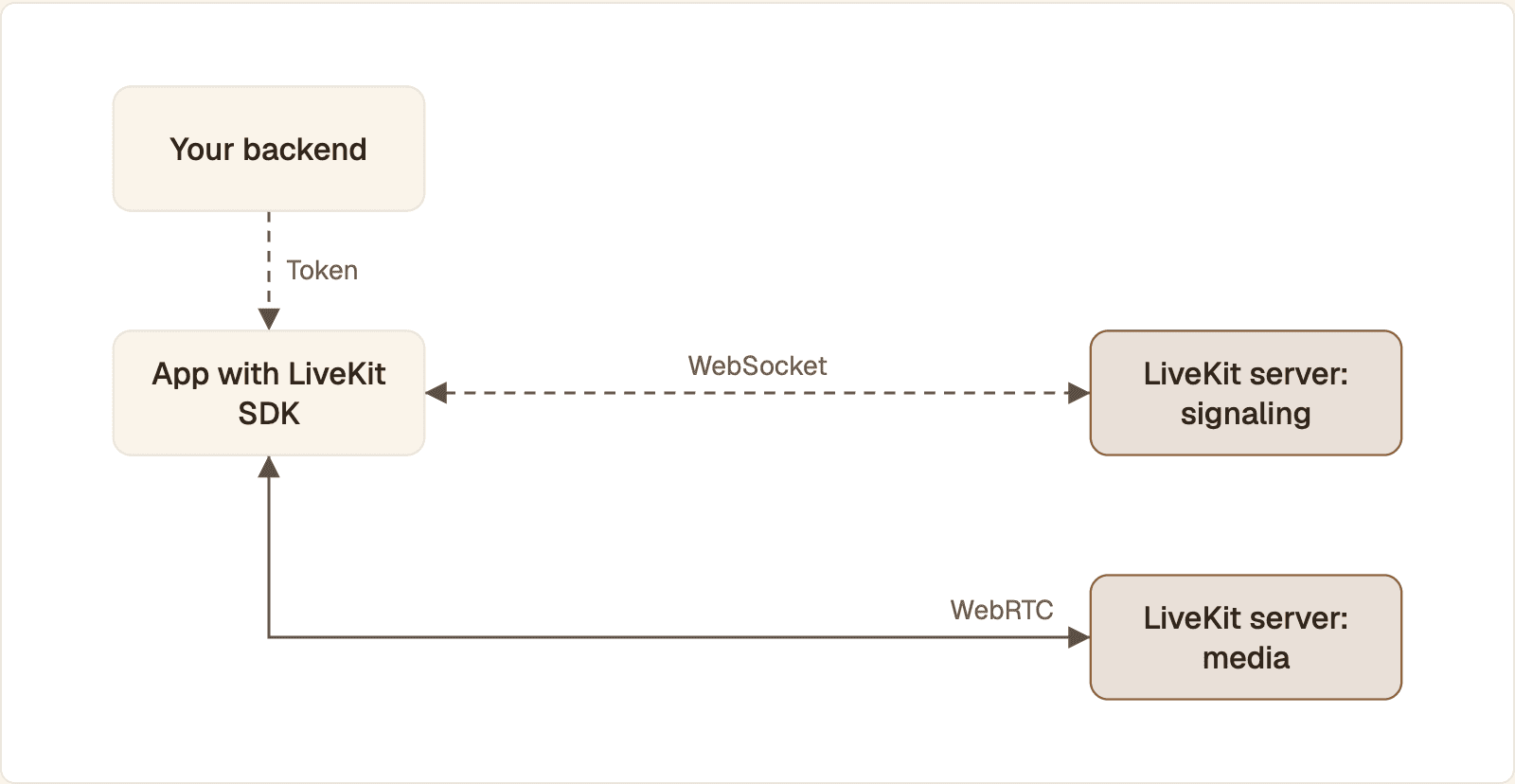
Both paths end at the same LiveKit server. The WebSocket negotiates the call and reports room state. Audio and video travel over WebRTC, outside the socket.
LiveKit's client protocol reference describes the flow. In order:
Your backend signs an access token for the user and the room.
The SDK opens a WebSocket to the server's
/rtcendpoint and presents the token.Client and server trade Protocol Buffers messages over that socket: the client sends a
SignalRequest, the server replies with aSignalResponse. These carry the join, the session descriptions and the ICE candidates.The client sets up as many as two peer connections with the server, one for publishing its tracks and one for receiving subscribed tracks.
Audio and video flow over those peer connections as WebRTC, outside the socket.
The socket stays open for room state: who joined, which tracks exist, who is speaking.
The split also shapes recovery. When the network changes, LiveKit's connection docs say the SDK tries to resume through the signaling socket and restarts ICE for the media, and falls back to a full reconnect if that fails. With a raw socket, recovery is your own reconnect logic.
Same socket, different job. Seeing wss:// in a LiveKit config does not mean your audio rides on TCP. The socket negotiates the call. The media takes its own path.
Latency and audio quality compared
On a clean link the two feel the same. The difference appears when packets are lost or delayed: a WebRTC call drops what is late and keeps its delay bounded, and a socket waits for the resend and lets delay grow.
Condition | LiveKit room | Raw WebSocket |
|---|---|---|
A packet is lost | The decoder conceals the gap and playback continues | Everything behind it waits for the retransmission |
Arrival times vary | An adaptive jitter buffer grows and shrinks | Your fixed margin is either too small or always paid |
Bandwidth drops | The sender lowers bitrate or resolution | Frames queue in the send buffer |
UDP is blocked | Falls back to a relay over TCP or TLS, and inherits TCP's stalls on that leg | Unaffected: it was TCP already |
No published figure will match your model, region and users, so measure the same agent on both paths, changing only the transport to the user.
Pick one metric. Time from the end of the user's speech to the first audible agent audio. Record the call and read the gap from the waveform.
Read the transport's own numbers. On the LiveKit path,
getStats()on the peer connection reports jitter buffer delay, packets lost and round trip time. On the socket path, log each chunk's arrival time against its expected time, and logbufferedAmount.Test where your users are. Run once on wired office internet, then on a throttled mobile profile with a few percent packet loss.
When a raw WebSocket is the better choice
A raw socket is the better choice when no consumer network is in the path, or when the other side dictates the protocol.
Server-to-server speech pipelines. Your agent streaming audio to a speech-to-text, text-to-speech or speech-to-speech API. OpenAI's Realtime API guide draws the same line for its own product: the session connects over WebRTC in the browser or WebSocket on the server.
Telephony media streams. The caller's audio reaches the provider over the phone network, and the provider forwards it to your server over a socket in a telephony format.
One-way streams with slack. Reading out a long answer, or playing generated audio where a deep buffer is acceptable.
When a LiveKit room is the better choice
A room is the better choice as soon as a real user on a real network talks to the agent, and it becomes the only practical choice once video or a third participant is involved.
Browser and mobile voice agents. Loss, jitter and network switches are routine there.
Avatars with video. Video multiplies the bitrate, and any drift between face and voice is visible.
Several participants. A human agent joining the call, or a supervisor listening.
Users far from your servers. A managed or multi-region media network puts a server near each user.
Build effort, hosting and scaling
Area | LiveKit room | Raw WebSocket |
|---|---|---|
Client code | Connect, subscribe, enable the mic | Capture, encode, schedule playback, handle barge-in |
Server you run | None on LiveKit Cloud. The open source LiveKit server if you self-host | Your own socket server and its audio handling |
Scaling | Stateful media servers, handled by the platform or by you when self-hosted | Long-lived connections, sticky routing, your own regions |
The socket path leaves you fewer services to run and far more to build. Check each vendor's pricing page against your expected call minutes.
Where a Protoface avatar fits
If your agent already runs in a LiveKit room, the avatar is one more participant. The Protoface LiveKit integration starts a session, joins the avatar to your room and publishes its audio and video as ordinary tracks, so browser code that attaches subscribed tracks needs no change. Underneath, a session is created around a transport object:
That body goes to POST /v1/sessions. You mint worker_token yourself, so your LiveKit API secret never leaves your process, and the livekit-plugins-protoface package does this for you inside a LiveKit Agents app. The same schema lists a websocket transport type as reserved and not yet available, so on this endpoint the avatar joins a room, not a raw socket.
Bridging WebSocket media into LiveKit
You can keep a socket on the server side and still give users a room. Run a small process that joins the room as a participant, reads audio from the socket and publishes it as a track.
LiveKit's raw media tracks documentation shows the publishing half: create an AudioSource, wrap it in a local track and publish it. In Python, with the websockets library receiving 16-bit mono PCM:
The process joins the room with a token you mint for it, then turns each binary message into an audio frame. len(chunk) // 2 is the sample count, since each 16-bit mono sample is two bytes. The guard skips text messages and odd-length chunks, which AudioFrame rejects. capture_frame waits when the source's queue is full, which gives you backpressure toward the socket. Authenticate the socket before you expose it.
LiveKit once published a ready-made bridge, livekit/websocket-bridge, written in Go. The repository is archived and read-only, so treat it as a reference and build on the current SDKs.
The hybrid is worth it in three cases: a telephony or speech provider only speaks WebSocket, you are migrating an existing socket pipeline without rewriting the agent, or a device can open a socket but cannot run a WebRTC stack. It is not worth it for a browser user: the bridge keeps TCP on the hop where loss happens, which is the hop the room was meant to fix.
The rule that settles most cases. Put WebRTC on the hop that touches a person, and let that be a LiveKit room unless you want to run media servers. Keep sockets for the hops between your own services.
Common questions
Does LiveKit use WebSocket or WebRTC?
Both. A WebSocket carries signaling as Protocol Buffers messages, and WebRTC peer connections carry the audio and video, as LiveKit's client protocol reference describes.
Is there anything better than WebSockets?
For live audio and video to a user's device, yes: WebRTC, which keeps playing through packet loss where a socket stalls. For ordered messages such as transcripts and events, a WebSocket is still the simplest good choice.
Why use LiveKit?
You get WebRTC media without building the signaling, media servers, TURN relays and client SDKs yourself. Your user, your agent and an avatar all join one room as participants, and the platform handles loss, jitter and reconnects.
Does OpenAI use LiveKit?
LiveKit wrote in October 2024 that OpenAI integrates a LiveKit client SDK into the ChatGPT app to send and receive audio for Advanced Voice. See LiveKit's post on the partnership.
Who uses LiveKit?
LiveKit's customers page names OpenAI, SAP, Spotify, Salesforce, Oracle and Coursera, among others.
Is LiveKit overkill for a one-to-one voice agent?
Not when the user is on a browser or phone. A voice agent call already has two participants, the user and the agent process, and the room gives both a media server to meet on. It is more than you need for a server-to-server audio stream.
Give your LiveKit agent a face
Your agent already publishes audio into a room. Protoface joins that room as a participant and turns the audio into live avatar video.